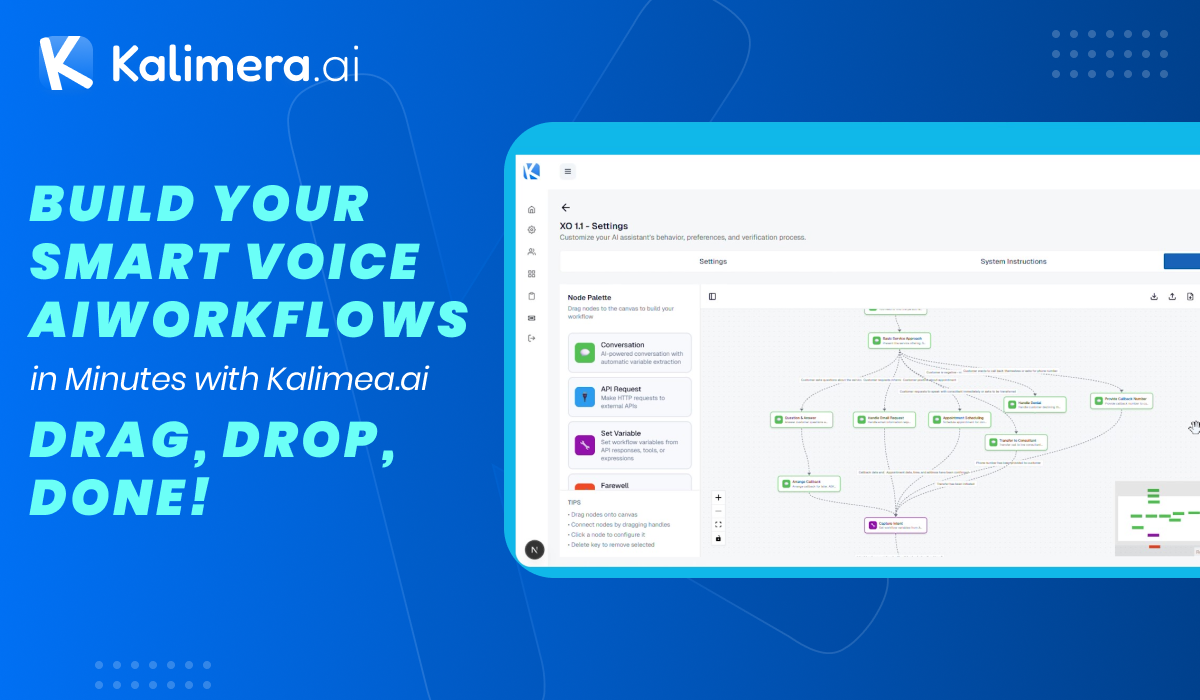
Ever looked for creating a smart Voice AI that handles customer calls like a pro – greeting, routing, booking appointments, and even handing off to humans seamlessly? With Kalimera.ai‘s drag-and-drop workflow builder lets you create intelligent Voice AI agents that handle it all – boosting efficiency, cutting costs by up to 80%, and delighting customers 24/7.
Watch our tutorial and see how businesses transform contact centers into revenue engines.
Why Kalimera.ai Supercharges Your Business
Before diving in, here’s the impact:
- Handle 32,000+ calls simultaneously – no peaks, no stress
- 65+ languages instantly – tap global markets without hiring more agents
- 91% customer satisfaction – natural conversations build loyalty and repeat business
- Agents reclaim 30% more time – focus on complex sales, not routine queries
- 2x conversion rates – smart routing + insights turn callers into customers
Step 1: Create Your AI Agent
Start simple from the dashboard:
- Click “Create AI” and upload a custom avatar
- Name your bot (like “XO 1.1”) and add a description
- Choose inbound calls and workflow type – hit submit to generate
Assign it to a campaign, and you’re off to the races.
Step 2: Fine-Tune for Human-Like Conversations
Make your AI feel real:
- Set silence responses (how many re-engage attempts?)
- Adjust speech-to-text and text-to-speech for natural voices (stability, similarity boosts)
- Pick languages like Greek, add delay messages, and even background office noise for authenticity
Step 3: Define Your AI’s Personality
In System Instructions:
- Set role and responsibilities (e.g., “friendly support agent”)
- Add a glossary for terms like days of the week
- Write tone guidelines – save and watch your AI come alive
Step 4: Build the Smart Workflow
Drag-and-drop magic in the visual editor:
- Welcome node: Perfect greeting script
- Intent routing: Listen and route based on customer needs
- Q&A node: Handle service/cost questions without breaking flow
- Email capture: Validate and store instantly
- Appointment booking: Schedule like a human
- Denials & callbacks: Graceful handling for every scenario
- Human handoff: Seamless transfer when needed
Connect nodes with conditions like “if cost question → Q&A” – visualize the entire flow at a glance.
Step 5: Set Variables & Launch
- Global: Company name, support email
- Workflow: Dynamic fields like customer name, phone, email
- Auto-layout keeps it clean, then deploy!
Ready to eliminate your contact center pain points? Start your free trial at kalimera.ai, build your first agent today, and watch ROI skyrocket! : https://admin.kalimera.ai/
OR
Book Your Demo Now
Leave a Reply